Convergence 2011: From Success to Significance - Recordings
 I had the pleasure to help out at Convergence 2011 and thought I would record it as I do most events I’m involved with. Enjoy the dialogue and some inspiring stories from the speakers..
Host / Moderator: Delwin Keasberry aka @BruneiTweet
Emcee: Nadzri Harif aka @NADZtheNADZ
Speakers at the Event
- Nor Alizulrainee Ali Yusop (@Norali_AliYusop): an education officer at the Special Education Unit (Ministry of Education)
- Dato Hamdillah, a local entrepreneur with interests across a number of industries
- Lai Pei-Si, Chief Executive Officer and Head of Consumer Banking for Standard Chartered Bank Brunei.
Recordings Download All
- Opening Remarks from ProjekBrunei.com Delwin Keasberry (Download)
- Opening Remarks from BMW Clement Chong (Download)
- Introduction of the Speakers Nadzri Harif (Download)
- Dialogue Introduction Delwin Keasberry (Download)
- Describe Yourself in 5 Words Dato Hamdillah, Lai Pei-Si, Norali Yusop (Download)
- Word Association - Music. Delicious. Brunei. Success. Significance Dato Hamdillah, Lai Pei-Si, Norali Yusop (Download)
- What Has Changed in the Past 16 Years? Dato Hamdillah (Download)
- Why Did you Move from Comfort to Something Unknown and What Was it Like? Lai Pei-Si (Download)
- What it’s Like as a Blind Person? Norali Yusop (Download)
- What Would You Say to The 65 Year Old? Norali Yusop (Download)
- What Would You Say to 18 - 65 Year Olds Considering Chasing Their Dreams and Steping Out of Their Comfort Zone? Lai Pei-Si (Download)
- What Would You Say to The 18 Year Old? Dato Hamdillah (Download)
- Did your Previous Roles Help you become an Entrepreneur? Dato Hamdillah (Download)
- What is Success? How Do You Balance Family and Work Life? Lai Pei-Si (Download)
- What are you Daily Difficulties Getting Around in Brunei. What Kind of Changes would you Like to See to be More Independent? Norali Yusop (Download)
- Stepping Out of Your Comfort Zone: What Have You Got To Lose? Dato Hamdillah, Lai Pei-Si, Norali Yusop (Download)
- Closing Remarks Delwin Keasberry (Download)
Brunei Online - Social Media: That's Where it's @ Recordings
-
The Backbone for Social Media (mp3 download link)
Speaker: Lim Ming Soon of Telbru -
Dude, Where’s My Traffic? (mp3 download link)
Speakers: Rano Iskandar of ranoadidas.com / @ranoadidas Delwin Keasberry of projekbrunei.com / @BruneiTweet Dinoza Maruf of Breeze Magazine @dinoza Moderator: Azhani Abu Daniel of EmmaGoodEgg.com / @emmagoodegg -
140 Characters or Less: Why Join the Twitter Conversation? (mp3 download link)
Speaker: Dato Timothy Ong @Timothy_OngTM Moderator: Hj Rozan Yunos of Brunei Resources / @bruneiresources -
From Idea to Enterprise: What Does it Take? (mp3 download link)
Speakers: Keeran Janin of MeSixty / @keeranj Simon Soo of MixMedia International (MINT) Moderator: Mr Tom
iOS5 has been released for your iDevice!
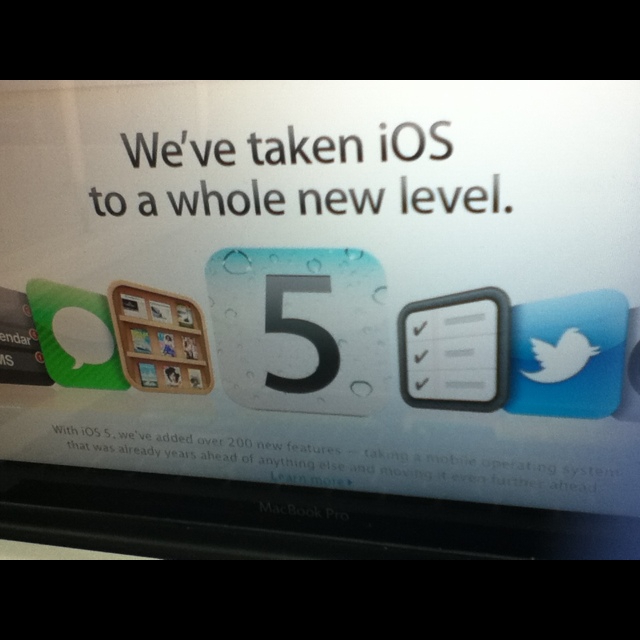
So last week iOS5 has been released with all the new goodness that it brings: notifications, iCloud and general usage tweaks to make it all a better experience. We did cover iOS5 in Corner Geeks Episode 5 Part 2 - iOS5 and Episode 5 Part 3 - iCloud.
You will need to update iTunes first before you can update your iDevice. Ensure you authorize your computer, if not you will not be able to restore you apps and media (if you backed up and restore contacts and messages should be restored). Also remember that there is always a risk when updating your firmware.
Conventional Method:
- Connect iDevice to computer
- Authorize the computer
- Sync your device
- Press the update button to download and update to iOS5
Direct IPSW Download Method: You can also do a direct download of firmware updates (especially useful if you have multiple iOS devices of the same version) to save download times.
- Download the appropriate ipsw file
- Connect iDevice to computer
- Authorize the computer
- Sync and Backup your device in iTunes
- Shift + Click Restore button (or Command + Click on OS X)
- Select the approriate ipsw for your device
- Once restored to iOS5 you can restore for the last backup (to restore data) and sync to restore your apps and media
MD5 hashes The follow are the MD5 hashes of the firmware files that I got from the downloads. All have been verified with other online sources except for iPod Touch 3G
- iPhone4: iPhone3,1_5.0_9A334_Restore.ipsw 8ac7ae6a7f6fadbd34ba9abacd15e2dc
- iPad2 WiFi: iPad2,1_5.0_9A334_Restore.ipsw ddd7bc45b65aeed8308d12facf4c32b0
- iPad2 WiFi+3G: iPad2,2_5.0_9A334_Restore.ipsw 95ff7c4a311919f04985bade7d184731
- iPad Wifi: iPad1,1_5.0_9A334_Restore.ipsw 729c72a9880b82b37aef5997173d9578
- iPhone 3GS: iPhone2,1_5.0_9A334_Restore.ipsw 54aa71d20263580653eafd06064c557c
- iPod Touch 4G: iPod4,1_5.0_9A334_Restore.ipsw 29ead00d2726f688d393a5fdd0de4a97
- iPod Touch 3G: iPod3,1_5.0_9A334_Restore.ipsw 989b8327acab76e7632443a0e179250c
To get the full iCloud integration/features there is an OS X Lion update and a Windows iCloud control panel (for Vista or later). Sadly Photo Stream is only available for iPhoto ‘11 or later or Aperture 3.2 or later in OS X while in Windows you need Outlook 2007 or later for mail, tasks and contacts iCloud integration.
Overall this is a great update for notifications, wireless syncing and iCloud. While they did copy Android’s notifications, Apple also added functionality by being able to have notifications on the lock screen which can be acted upon directly by swiping the notification. iCloud, wireless syncing and future incremental upgrades (instead of downloading 700MB+ update files) should bring an overall better experience to iOS devices and now let’s see how Android responds with Ice Cream Sandwich.
Download link: iOS5 has been released for your iDevice!
Streaming KristalFM on iOS Devices (iPhone/iPad/iPod Touch)
So recently KristalFM relaunched their website with the ability to listen through webstreaming but alas they forget that not all devices have Flash.
So based on Zulfadly’s request and some research and my previous research for streaming UBDFM on iOS device here is the same method but for Kristal FM
- Open Safari
- Go to http://202.152.84.115:801/kfm(open in a new page/tab)
- Click done, and add it to the Home Screen
This URL should work in any stream application (VLC for Windows, OSX, Linux / StreamFurious for Android). Hope that helps people
Asus Ultrabook Announcement

Last week ASUS revealed their ultrabook pricing starting at US$999 (11.6" UX21) and US$1099 (13.3" UX31). Branded as ‘Zenbooks’, their specifications match or beat the MacBook Air. Hoping that CF King brings them in at a good price
Brief Specifications (Specifications from ASUS)
- UX21
- 11.6" screen. Resolution: 1366x768
- 5+ hours battery life
- 128GB SSD
- US$999: Core i5
- US$1199: Core i7
- UX31
- 13.3" screen. Resolution: 1600x900
- 7+ hours battery life
- SD card reader
- US$1099: Core i5, 128GB SSD
- US$1349: Core i5, 256GB SSD
- US$1449: Core i7, 256GB SSD
- 4GB RAM
- 2 second resume
- Bluetooth 4.0
- Ports: 1 x USB 2.0, 1 x USB 3.0, microHDMI, microVGA
Other coverage from Engadget, This is My Next, Ubergizmo (Ubergizmo states that the devices come with with USB to ethernet and miniVGA to VGA adapter).
Asus Ultrabook Announcement: UX21/UX31 (starting at US$999/$1099) (mp3)
Sony Ericsson Live with Walkman available in Brunei for B$350 at Incomm and QQeStore
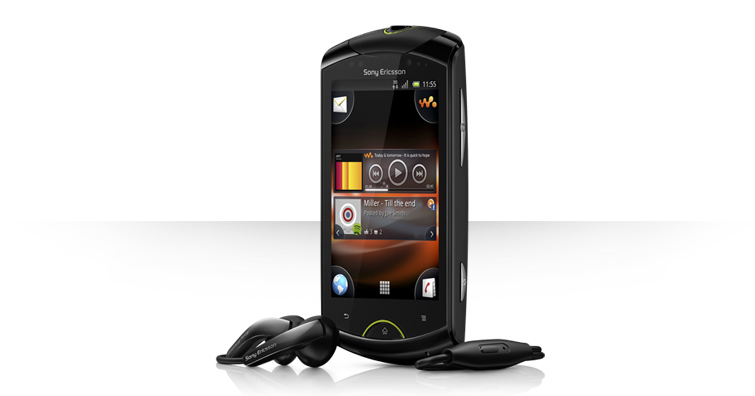
Seems like a great budget Android phone with a slightly larger screen than the Xperia Mini pro but without a keyboard to make it more svelte. Seems to share all the same common good specifications for a budget phone but a slightly larger screen and slightly cheaper at B$350. Quick Specifications- Android 2.3
- 320 x 480 pixels, 3.2" capacitive screen
- 1GHz Processor
- 512MB RAM
- 320MB for applications
- 5 megapixel camera w/ 720p video
- Front facing VGA camera
- xLOUD™ loudness enhancement makes it possible to listen loud without distortion.
Full specifications / details at Sony Ericsson / GSM Arena Buy at Incomm or QQeStore
Introducing the Byte of the Day

Download link: Introducing the byte of the day (mp3)
We are adding another show to the podcast line up to give quicker technology news updates and just provide a small snippet of information. We are gearing this more for current news items and events by summarizing them in under 5 minutes.
Audioboo is being used as the backend as it allows quick mobile uploads from any device supported. Due to that, it will take some time to integrate it properly with the website so the best way to follow is just to subscribe to the Byte of the Day feed or follow us on Twitter where it should auto tweet the podcast.
P.S. I know that the date says 19th September which was the day I recorded the introductory episode which was needed for the iTunes feed. Also it seems that Audioboo auto-tweeted the episode that day but am only officially launching it now (i.e. some episodes to come very soon) =)
Gagalcast 2: Windows 8 Developer Preview Installation Fail
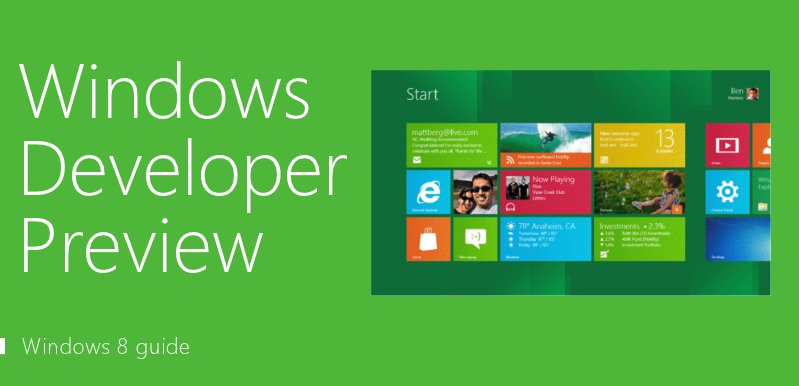 When Windows 8 Developer Preview was released (download your copy here) to enthusiasts and developers, we were excited to try it out. Sadly our enthusiasm was curbed as we learned to fail at Step 1: Installation of the OS…
Steve Jobs: 1955 - 2011 RIP
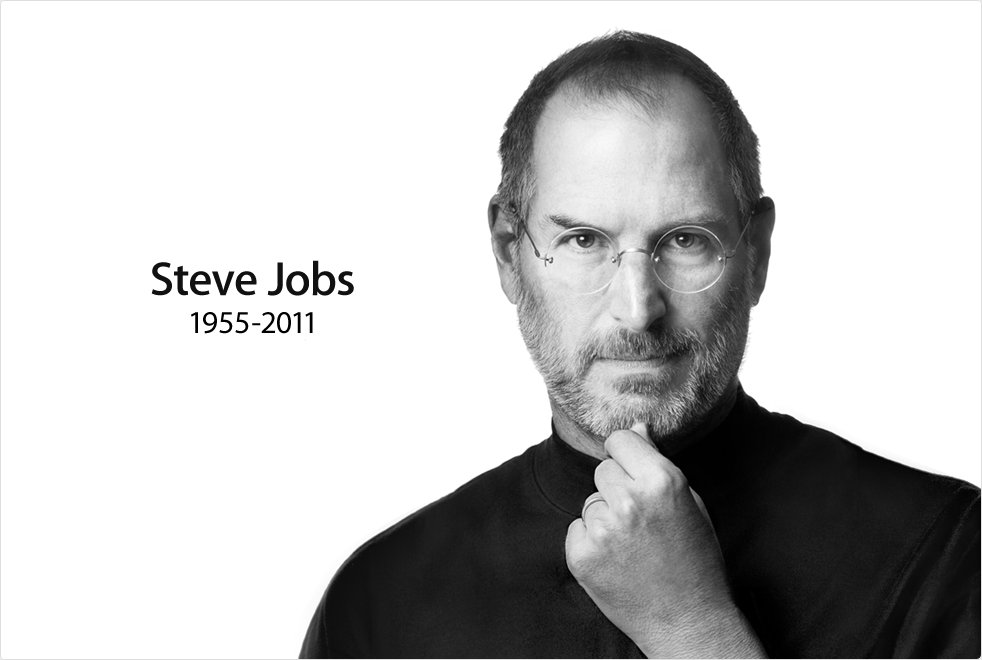
Steve Jobs 1955 - 2011
Apple has lost a visionary and creative genius, and the world has lost an amazing human being. Those of us who have been fortunate enough to know and work with Steve have lost a dear friend and an inspiring mentor. Steve leaves behind a company that only he could have built, and his spirit will forever be the foundation of Apple.
If you would like to share your thoughts, memories, and condolences, please email rememberingsteve@apple.com
Source; Apple - Remembering Steve Jobs
No matter what you think about the man personally, he did great things and did inspire many.
Steve Jobs Stanford Commencement Speech 2005 http://www.youtube.com/watch?v=D1R-jKKp3NA
The Crazy Ones Ad http://www.youtube.com/watch?v=8rwsuXHA7RA