Corner Geeks 24: Facebook Home in Review
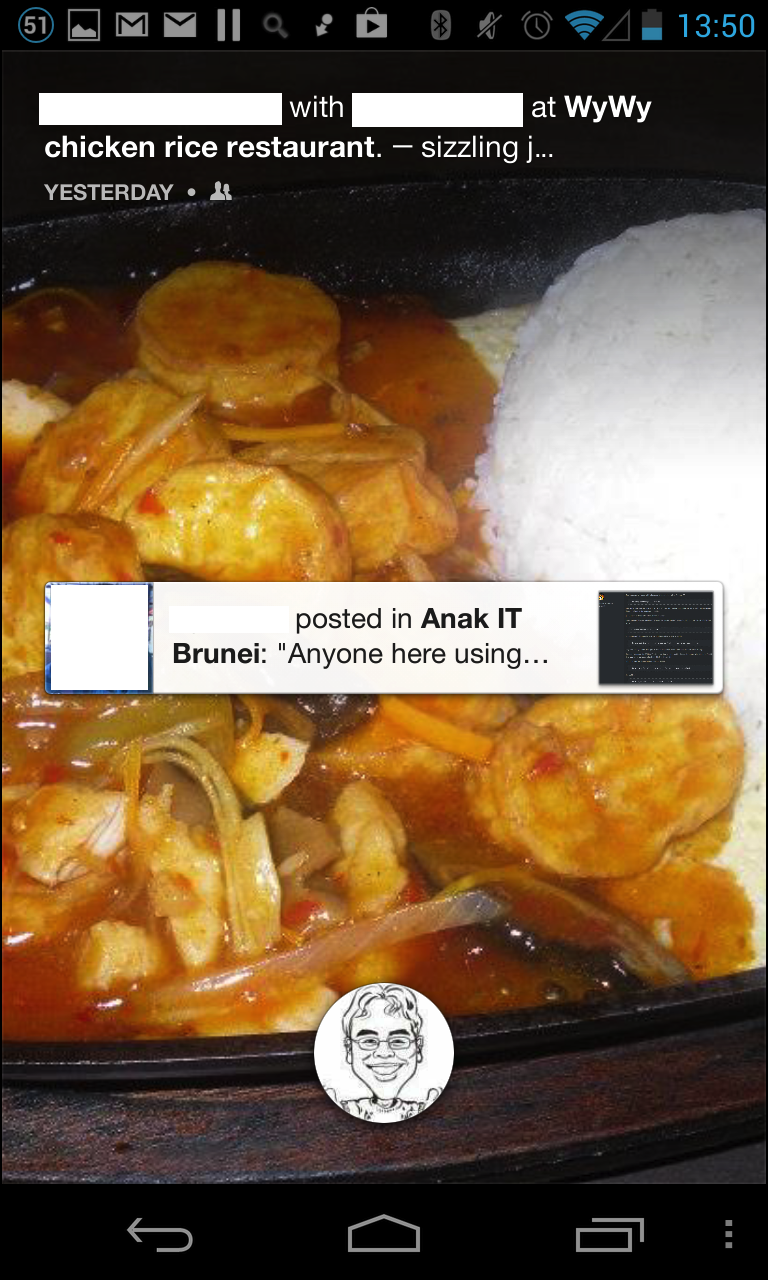
- Makes Facebook so much easier to access
- Even I found it fun to use even though I don’t like to
- Not good for those with ADD
- Seems to bring new pic/updates each time you turn it on
- No way to filter who appears on home screen
- Possible embarrassing photos shown in public / accidental leakage of personal information or photos
- Limited launcher
- Only Facebook notifications on home screen (notification drawer still available from the top)
- No widgets / Folders
- Chat heads is not a Facebook Home feature: it’s a Messenger feature.
- Also available for iOS but with limited functionality (jailbreak gives you OS wide functionality)
- First app to bring drawing over apps to mainstream
- Scared of possibilities: pop-up ads!
Links
Samsung Galaxy Tab 2 7.0 with 3G
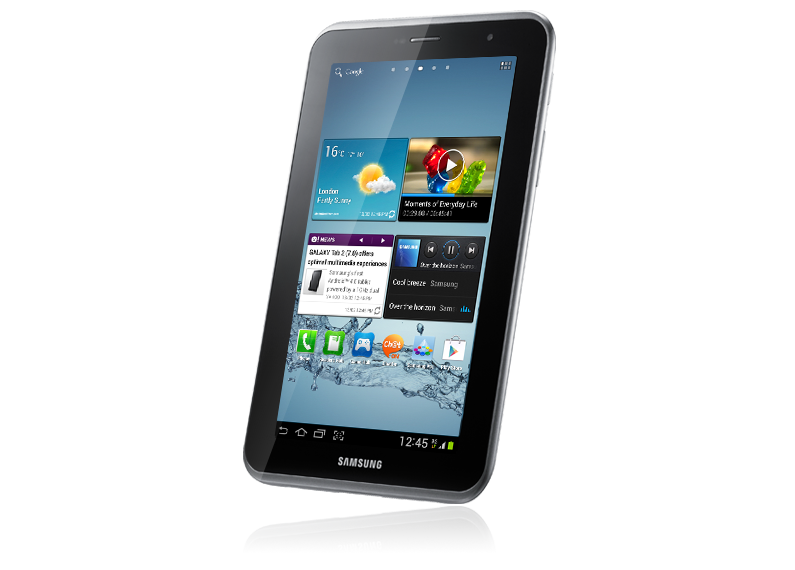
A budget 7" tablet with 3G capabilities, it serves as a good all in one device but is a bit sluggish. Small and mobile, yet provides good real estate for reading and browsing the web. http://www.youtube.com/watch?v=ktcPF4tJ5QA (YouTube video link)
The Good
- Great battery life especially if Samsung’s power savings enabled. With 3G on all day will leave the office with 60+% at 5+
- All in one device having dual cameras for typical photo/video taking (rear camera) as well as video calling (front camera)
- microSD card slot and USB-OTG for added expandability and capabilities
- Phone calls can be taken privately by holding the tablet up to your ear (without the need for a headset)
- Tablet UI allows more information to be displayed on screen
- Flash is supported in the Samsung browser
The Bad
- Fix focus rear camera (macro shots not possible). Also no camera flash
- Screenshot button that is too easily pressed (can be fixed if rooted)
- Proprietary connector
- A big sluggish and not a totally smooth experience
The Ugly
- 1 GHz Dual core with 1GB of RAM isn’t enough to run the Android 4.0 smoothly (at least with TouchWiz on top)
Links
Specifications
- 1 GHz Dual-Core Processor
- 7” WSVGA (600X1024) screen
- Android™ 4.0 (Ice Cream Sandwich)
- Main (Rear) : 3 Megapixel Camera (fixed focus)
- Sub (Front) : VGA for Video Call
- 8 / 16 / 32GB User memory + 1GB (RAM)
- microSD (up to 32GB)
- 4000mAh Battery
- Proprietary Samsung connector
- USB OTG support (USB drives, mouse, keyboard)
- HSPA+ 21Mbps 850/900/1900/2100
- Wi-Fi 802.11 b/g/n, Wi-Fi Direct, Bluetooth 3.0
- Size : 193.7 x 122.4 x 10.5 mm
- Weight : 345g
The Samsung Galaxy S III finally unveiled
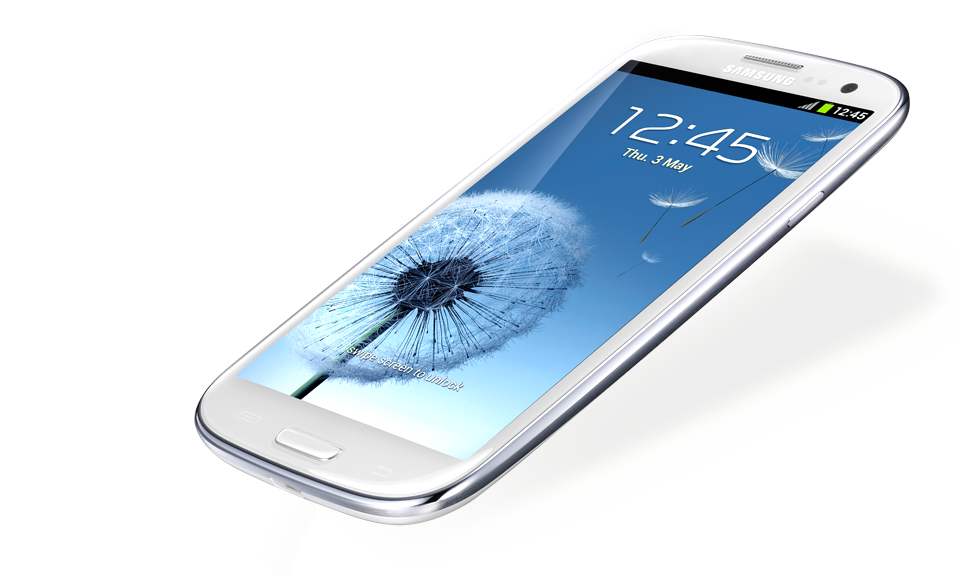 The much awaited Galaxy S III has finally been unveiled on May 3 and as expected it is most likely the best in terms of specs out of any Android phone, however the design has come to some critique. Quad core goodness with a large 4.8" 720p screen while surprisingly still having a micro SD card slot and removable battery, the device has makings to be a great device if you have can accept the design and the typical plastic feel of Samsung devices. It is available at the end of the May in Europe and North America gets it in June. Pricing is starting at £500 for the 16GB version while US pricing has yet to be confirmed (16GB currently at US$799 at Mobicity).
Added software and hardware tweaks to improve user experience and functionality:
- S Beam: sharing files by tapping phones together (utilizing NFC) and transfer files directly over wireless
- AllShare Cast sharing your screen over a network
- Pop up play: playing video in an overlay so you can multitask
- S Voice: voice control similar to Siri on the iPhone 4S
- Best Photo: takes a series of photos so that you can choose the best one, in case you missed it
- Direct call: while messaging and if you decide to call, just bring the phone to your head and it will automatically start calling the person
While all in all it seems a great device, there are few things to point out that could be an issue
- Size: I can’t iterate this enough, I feel the size of Android phones are getting a bit out of control and manufacturers believe “bigger is better” which may not be the case. Check out the screen size section of “A Critical Look at the Interface and Ergonomic Issues of Android”
- PenTile screen: there have been issues and commotion about PenTile screens for quite a while as they do not provide the sharpest of images due to its nature (Droid Razr Review - Display, A Closer Look at the Droid Razr’s screen, HTC One S Review). I have yet personally to use one, thus I can’t say how bad it could be, but at a high resolution, it may not be much of an issue
- Design: the design has been critiqued (Galaxy S III: It’s not for you, 5 Things I’d Change About the Samsung Galaxy S III, countless forum responses) but there is an interesting take to the possible reason behind it ("The Samsung Galaxy S III: The First Smartphone Designed Entirely By Lawyers"). It is also made of plastic (sane as the older S II) which could make it feel cheap.
Notable Specifications (more specs in press release)
- 4.8" Super AMOLED 720p screen (1280 x 720)
- Quad Core CPU
- 8MP rear camera (1080p video) with zero shutter lag
- 1.9MP front camera (720p video) with zero shutter lag
- NFC
- Bluetooth 4.0
- microSD card slot
- Removable 2100mAh Battery
- Micro SIM slot
- Available at the end of May
Positives
- Best overall specs out there
- Micro SD cards slot: something missing from other high end devices
- Hardware & Software integration improvements from Samsung
Negatives / Possible Negatives
- 4.8" screen could be considered too big for one-handed use
- PenTile screen: may not be ideal if you can notice
- Still made of plastic
- Design is a hit/miss affair
bdfone A2W: The Brunei-made Android phone
It seems that bdfone has finally released their first Android phone: the bdfone A2W. I previously mentioned them having a prototype over 1.5 years ago but it seems that they have finally got a production unit. From their Facebook page it seems to have started selling in December (in my last of connectivity, I must have missed it). It is currently priced at B$290 on QQeStore
They have hit a good price point, but with an older version of Android (not even 2.3) and a relatively old and slow CPU, it seems to lose out to the competition. There is also no mention of resistive or capacitive screen, just a “touch screen”. I also wonder how they will support Android updates or if they will at all. For the price I would recommend the Sony Ericsson WT19I Live with Walkman for B$308 (which has better specs) or even the LG Optimus Net P690 for B$268 (which has very similar specs).
Good
- Brunei made Android phone
- Decent Price
Bad
- Competitors with better specs in the same price range
- Old slow 600MHz CPU (other budget phones use 800MHz)
Ugly?
- Unknown screen type
- Unknown Android update possibilities
- Unknown available space for apps
Specifications
- Android 2.2
- CPU: 600MHz (based on Wikipedia’s entry on the MSM7227)
- 3.2 HVGA (480x320) screen
- 512MB + 256MB Memory
- 3.0M Camera
- 1500mAh battery
- Connectivity: Bluetooth, GPS, WiFi, T-Flash Card aka microSD card (up to 32GB support)
- Mini USB 2.0 for Data / Charger / Audio
- Frequency band support: GSM: 900/1800/1900, WCDMA/HSDPA: 2100
Note: image taken from bdfone website. I’m not sure how to license images like this and thus I am following Wikipedia’s policy similar to the usage of the Portal 2 logo. If there are any lawyers who could advise, please let me know.
Optus MyTab / ZTE V9 Review
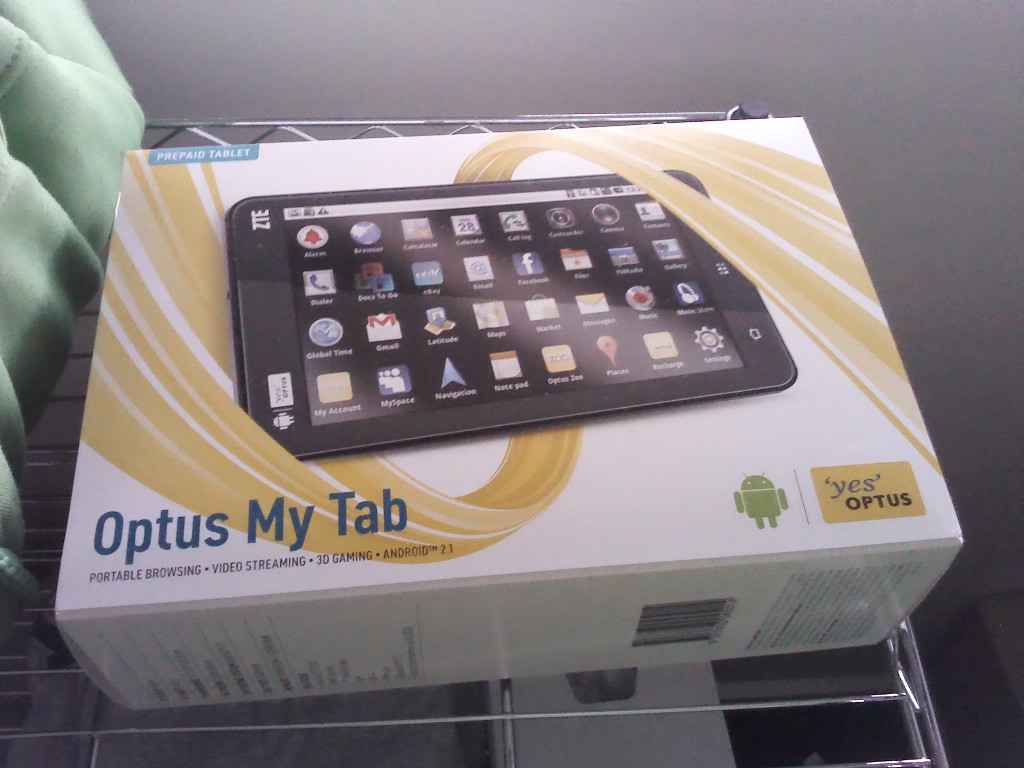
I managed to pick up an Optus MyTab (which is a carrier branded ZTE V9) for AUD$129 back in September and have been thoroughly happy with the purchase. The MyTab is a 7" Android tablet with full phone capabilities and I bought it to test the 7" form factor for use as a tablet as well as ereader. I found myself mainly using it as a MiFi or a portable hotspot device that will share your mobile (3G) data over WiFi.
[gallery link=“file”]
7" is big yet small The V9 is small in size and portable, with it easily being put into a back pocket or handbag/man-bag. I found 7" to be a good size for reading text and saved web pages via ReadItLater however browsing websites may be a hit and miss experience. Since the device doesn’t have multi-touch, it was harder to zoom in and out of web pages that are not formatted for mobile, thus it may be considered too small to view websites in full ‘desktop’ mode comfortably. The width of the device was also just small enough for me to hold it comfortably in one hand. Obviously this will change from person to person but the Galaxy Tab (and Galaxy Tab 7 Plus) are wider and it is not comfortable for me to hold.
Weight is good but could be better I also found the device a bit heavy when holding it up in one hand above my head while lying down to read: I’ve had some near misses of dropping the device on my head. The only 7" tablets that I know that are lighter all come from Samsung (Galaxy Tab at 380g, Galaxy Tab 7.0 Plus at 345g, Galaxy Tab 7.7 at 340g).
Resistive touch gets old over time Some apps will have problems with the resistive screen which does not support multi-touch. Gestures like pinch to zoom are not possible and thus apps that rely on this may have problems: there is no way to zoom in or out in Angry Birds. For non-game apps there should be less of an issue as a zoom in/out control should appear; however I recently noticed it stopped showing in Opera Mini thus the only way to zoom in and out is to double tap the screen. While capacitive touch is desirable, resistive is sufficient for most of my use cases.
On a side note, the resistive screen does not have a uniform responsiveness: on some parts of the screen it is pretty responsive requiring only a light press or touch to active, while other parts require a heavier press. This could just be an issue with this device but is something to note when looking at resistive devices.
No Speed Demon Having only a 600MHz processor means that this device is not meant for high end apps/games and can be slow at rendering web pages and opening complicated PDFs (eg with embedded vector images) but it is possible albeit slow at times. Not an ideal situation and not a good reading experience for graphic filled PDFs like comics. It also doesn’t support Flash in the browser.
The Camera is so-so Quality is not great but I believe it is there just to meet the Google requirements in order to get Google apps on the device. The Android Market is highly important has some cheap tablets do not have it and make getting apps more difficult than it should be.
Sample photos (3.1MP: 2048x1536)
Phone/Hotspot Use While it is possible to use as a phone, it can be a bit cumbersome as it only has speaker mode unless you use a headset - similar to the Samsung Galaxy Tab. I do like Android’s portable hotspot feature for the device and is something I use very often, which is one thing I dislike about the iPad w/ 3G that doesn’t support Internet tethering.
Battery Life is pretty great Using as a wireless hotspot sharing 3G over WiFi to my phone: can get over 8 hours of continuous usage (tablet mostly idle in bag but access Internet on phone). I recently put the device into a drawer for several days and accidentally left 3G mobile data on and it still has 90%+ of battery left.
Notification lights are awesome The notification light, located at the bottom-right corner of the device, has 2 colours: green (to indicate > 90% battery when it is charging) and red to indicate unread notifications or that the device is currently charging. It is truley a joy knowing if you have unattended notification without switching on the device to check: a productivity plus.
Weird Audio The MyTab comes with some Dolby sound enhancements that lets you specify settings for different media that you play, similar to an equalizer, but I found the default settings set the volume too low and sounds distorted. I had to create a custom profile to be able to listen to audio properly.
Charging via microUSB is fantastic The device comes with a 5V @ 1.5A charger but it can be charged with a standard microUSB cable. With most phones having microUSB connections (the EU has even standardized this for consumer and environmental reasons), the convenience of having only to bring a single cable and charger to charge your devices is so great. I did find that the MyTab does charge slowly over USB (connected to a computer) when tethering 3G data (something my Optimus One is not capable of: it discharges slowly as power drain is higher than charging power)
Summary While the device isn’t fantastic, it is a good deal for the price: cheaper than a dedicated MiFi device but with much more functionality. I certainly am very happy with this device even though I doubt it will get anymore official updates but it has made me comfortable with the smaller 7" form factor and I’ll will be looking out for a similar 3G tablet but with better specs in the future.
Good
- Cheap clearance/end-of-life price
- Great hotspot battery life
- microUSB charging
Bad
- Resistive touch
- No updates
- only 160MB+ for apps
- slow CPU: slow opening documents, no Flash in browser
Ugly
- Screen does not have uniform responsiveness
Specifications
- 7" 800x480 resistive screen (non multi-touch)
- Android 2.2
- 600MHz CPU
- ~160MB for apps
- RAM: 400MB+
- 3 MP rear camera (no front camera)
- 3G (full SIM slot)
- microSD slot (supports up to 32GB) (comes with 2GB card)
- microUSB for charging and computer connection
- 3400mAh battery
- Notification light, Accelerometer with auto rotate
- Connectivity: WiFi 802.11b/g, Bluetooth 2, Tri band UMTS (900, 1900, 2100MHz), Quad band GSM
- Weight: 403g
- Dimensions: 192mm x 110mm x 12.6mm
Huawei S7 Slim
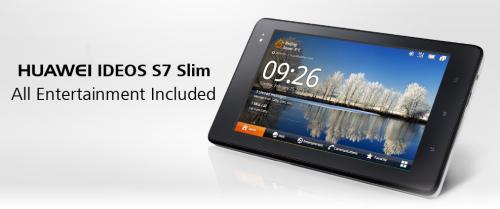
Along with the Huawei Ideos X5 we managed to take a look at the Huawei S7 Slim which is an updated version of the Huawei S7. A more budget friendly (B$499) 3G tablet with phone capabilities, it has a similar UI to the original S7 which is a more landscape oriented and also has a lot of space for apps (2.7GB+). The original Galaxy Tab is currently going for B$575 at Shopping.com.bn and thus the S7 Slim may be a hard sell at the current price (the Galaxy Tab has less space for apps 1GB+).
http://www.youtube.com/watch?v=eDNtSD2C2hM (YouTube link to video)
The Good
- A decent Android tablet at B$499 with ample space for apps
- Support for Flash
- On customer request the device will be rooted and upgraded to Android 2.3 running CyanogenMod
The Bad & the Ugly
- May not have Android updates
- The Galaxy Tab is less than B$100 more
Specifications
- Android 2.2 / Android 2.3 (upgrade to 2.3 upon customer request)
- 7" WVGA 800x480 capacitive multi-touch screen
- 1GHz CPU
- 2.7GB+ space for apps
- 400MB+ RAM
- Rear and front facing cameras
- Full SIM slot
- microHDMI, microUSB, microSD card slot, propetariy dock
- Connectivity: WiFi, Bluetooth, GPS
Note: We would like to thank TenTen for allowing us to film this at their shop in Kiulap. TenTen offers many Huawei and they also have battery packs for your iDevices or generic battery packs with a USB output to charge for your phone
Sample Photo (max resolution: VGA, 640x480) Rear camera  Front camera
Sample Video (max resolution: 352x288, 3gp file with h263 and amr mono encoding) Rear camera (YouTube link to video) http://www.youtube.com/watch?v=WTjXsjd_Sa0 Front camera (YouTube link to video) http://www.youtube.com/watch?v=RTp8Br9Ruak
Huawei Ideos X5
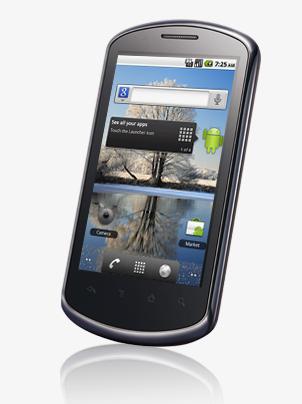
I managed to take a look at the Huawei Ideos X5 that I first laid hands on at the TechXpo 2011. It is a very decent device at an affordable price of B$399. My only gripe is the lack of a front facing camera which means you will not be able to do normal video chats. If it had a front facing camera, this device would be one of the best budget Android phones. It has a bigger and higher resolution screen compared to the Sony Ericsson Live with Walkman and the Sony Ericsson Xperia Mini Pro and thus makes it a good size for thumb typing, even for those with fat fingers like mine. Overall a very decent device, with 450MB+ for applications (a lot of space for a budget device), but I fear that there will be no official Android version updates.
http://www.youtube.com/watch?v=D7_-Lba2nSE (YouTube link to video)
The Good
- A decent Android device at B$399 with larger and higher resolution screen compared to some cheaper phones
- High resolution 3.8" WVGA (800x480) screen
- Support for Flash
- On customer request the device will be rooted and upgraded to Android 2.3 running CyanogenMod
The Bad & the Ugly
- No front facing camera
- There are cheaper phones with front facing cameras
- May not have Android updates
Specifications
- Android 2.2 / Android 2.3 (upgrade to 2.3 upon customer request)
- 3.8" WVGA (800x480) capacitive multi-touch screen
- 1GHz CPU
- 460+MB available for apps
- RAM 350MB+
- 5 megapixel camera with flash (no front facing camera)
- microSD card slot
- Connectivity: WiFi, Bluetooth, GPS
- Micro-USB connector
Note: We would like to thank TenTen for allowing us to film this at their shop in Kiulap. TenTen offers many Huawei and they also have battery packs for your iDevices or generic battery packs with a USB output to charge for your phone
Sample Photo (max resolution: 5 megapixel 2592x1944) 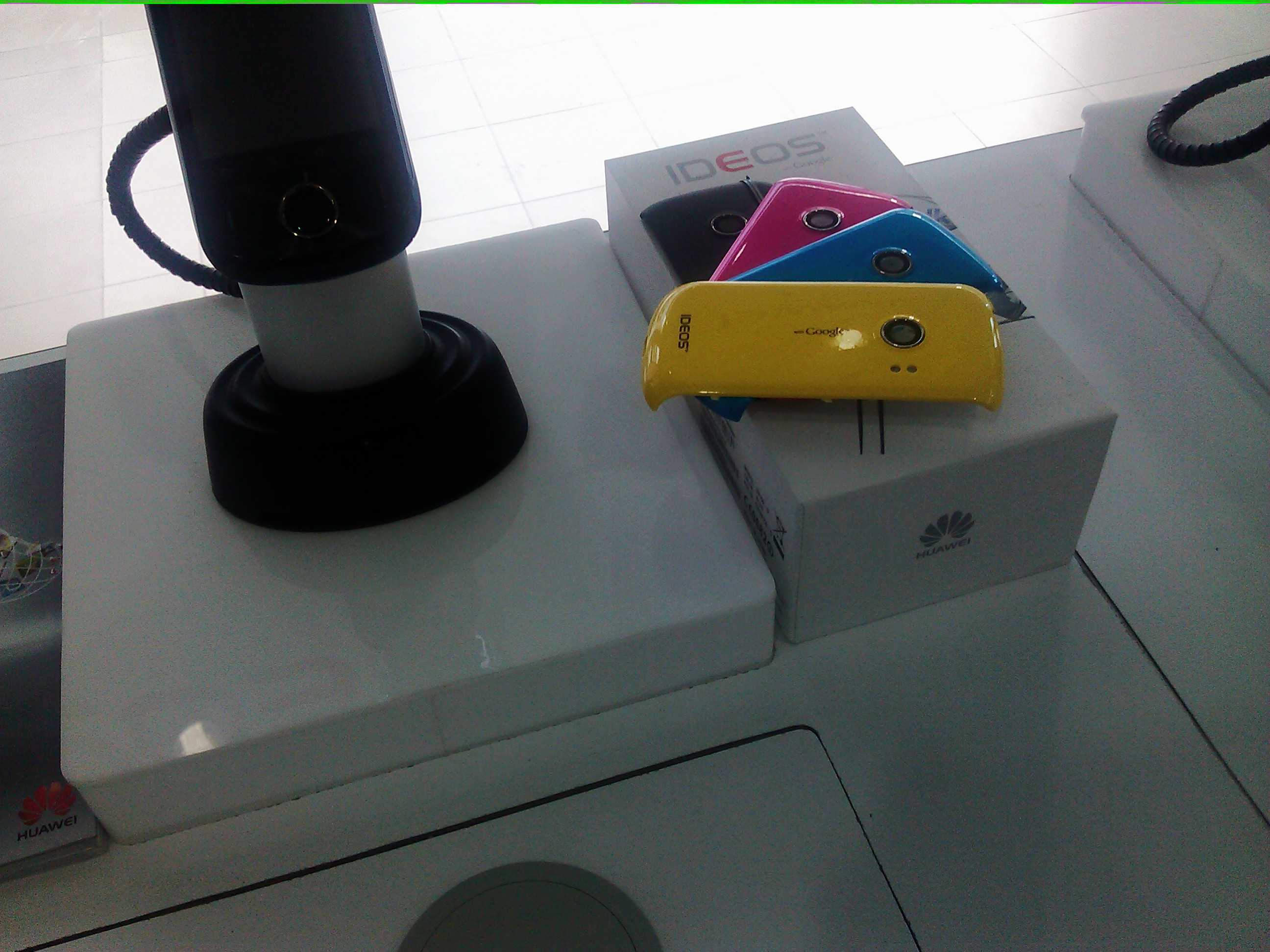
Sample Video (max resolution: HD 720p, 1280x720, m4v with h264 and aac mono encoding) http://www.youtube.com/watch?v=WTjXsjd_Sa0 (YouTube link to video)

Asus EeePad Transformer
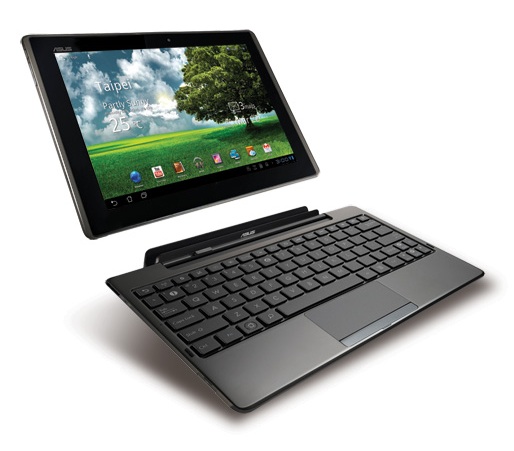
I came to know of the EeePad Transformer’s existence in Brunei via Goh De No’s article in the Brunei Times last week. The Transformer is an Android tablet but also a ’laptop/notebook’ with the keyboard dock that adds functionality to make this an interesting device.
Specifications
- Android 3.1 (according to Goh De No in the Brunei Times article)
- 10.1" IPS screen at resolution of 1280x800
- NVIDIA® Tegra™ 2
- 1GB RAM
- microSD card slot
- miniHDMI
- Keyboard Dock provides
- keyboard + trackpad
- 2 x USB 2.0
- 1 x full size card Reader (MMC/SD/SDHC)
- added battery to charge the slate
More specification details at: ASUS’s Transformer page
Price: B$899 for the 16GB version with the keyboard dock at C.F. King in Kiulap (no non-bundled price available)
Android 3.2 is available to this device via the Transformer’s download page and thus adds better functionality and compatibility with applications developed for phones with the new ‘zoom’ mode. This should scale applications up just like the iPad does for iPhone apps. While phone apps should install and run on Honeycomb tablets, the layout may look weird or even broken and this feature should resolve it.
While I’m saddened that CF King did not offer a price without the keyboard dock, the Transformer is a device that can have some productivity uses with the keyboard dock which allows the device to be used for up to 16 hours (the other 8 hours in the day can be used for sleep!). Damien from Carrypad is actually trying to use the Transformer as an enterprise productivity device and I’m curious to see the outcome of his experiment. Coincidentally he has just posted an article about week 1 of the Transformer usage.
Another thing interesting about the Transformer is that it will have a dongle to convert the HDMI to VGA output: a great tool if you wish to use it for presentations on the move, as VGA is still much more compatible and widely available on projectors. I believe this is the only other tablet besides the iPad that has VGA output and is something I would recommend for teachers or anybody else who gives presentations and wants to have a minimal yet functional setup with them.
Read full reviews of the Transformer at LaptopMag, AnandTech, Carrypad (Part 2 here) and Engadget. If you’re interested in the device I suggest heading down to CF King and have a go at the device. One of their staff, Poh, is a nice and friendly guy there, I’m sure he could help you out.
For other innovating / whacky tablets from ASUS keep a look out for the 10" Eee Pad Slider, 7" Eee Pad MeMO 3D or the 10" pad and 4.3 phone that make up the Padfone. One thing is for sure, none of ASUS Android tablets are typical. As the fore father of the netbook with the Eee PC I salute you!