Corner Geeks 31: The Post I/O Experience Part 5 – Android Wear
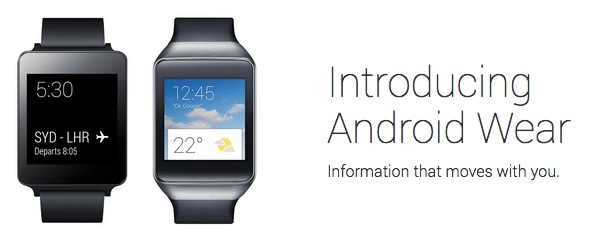
Android Wear
- Android wear UI is not customizable
- Pairs with Android phone via Bluetooth (requires Android 4.3+)
- 1 day battery life
- Notifications appear on watch
- Swipe left to dismiss
- Swipe right to take further action (e.g. open in phone)
- Reply with voice (only for certain apps)
- Requires 2 hands
- Availability (in certain locations):
- Currently available: Samsung Galaxy Gear Live / LG G watch
- Moto 360 available in the summer of 2014
- Samsung Gear live (vs the G Watch)
- smaller screen (1.63" Super AMOLED vs 1.65” IPS LCD)
- higher resolution (320x320 vs 280x280)
- smaller battery (300 mAh vs 400mAh)
- extra Heart Rate Sensor (common sensors: Compass, Accelerometer, Gyroscope)
- has a Bluetooth / Wi-Fi antenna
- cheaper in US (US$199 vs US$229) (Australia: $1 more expensive, AUD$250 vs AUD$249)
- LG G watch
- possible charging contact corrosion should be fixed
- can charge while wearing (using the cradle), not ideal but possible
Corner Geeks 29: The Post I/O Experience Part 3 – Android L, Android TV, Google Fit, Android Auto
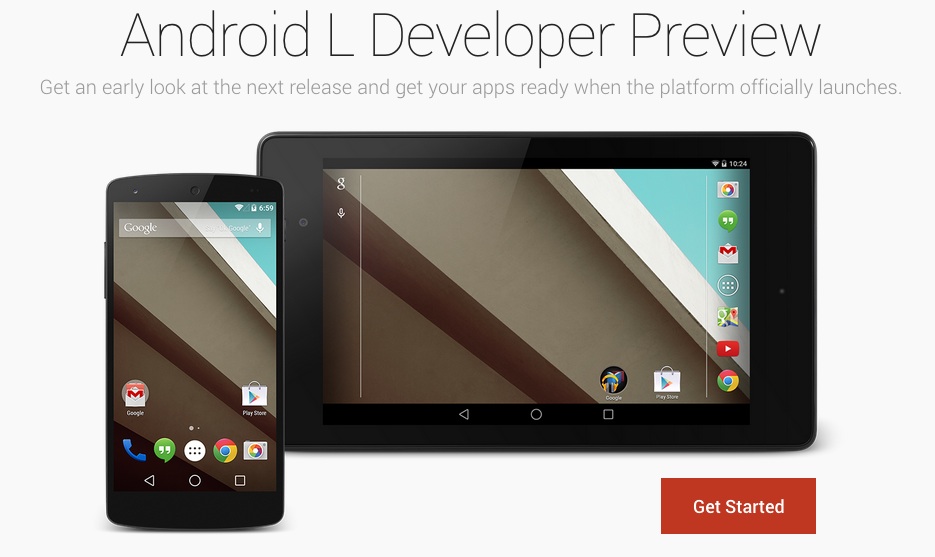
Android L
- Preview for Nexus 5, Nexus 7 2013
- Android Runtime (ART): replacing Dalvik
- Project Volta: aims for better battery life. ArsTechnica investigates Project Volta
- Android Enterprise features
Android TV
- Android TV Website
- Google Content (movies & music) on the big screen using voice commands
- Game focused: has hardware game controllers, similar to Ouya
- Controlled using swipes with Android wear or voice commands on an regular Android device
- Can cast screen/content from Android devices to Android TV using Google Cast
- Play Store available to install apps
Google Fit
- Google Fit Website
- Google’s ‘me too’ fitness platform
- Google’s response to Apple’s HealthKit / Samsung’s S Health
Android Auto
- Android Auto Website
- In-board car dashboard powered by your Android device
- “Dumb” dashboard monitored, all powered by external Android device
- Google’s response to Apple’s CarPlay
Corner Geeks 27: The Post I/O Experience Part 1 - Goodies, Android One and Material Design
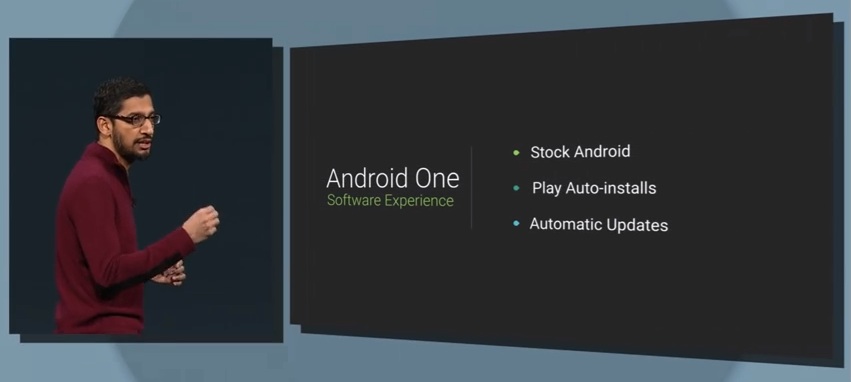
Watch the Google I/O 2014 Keynote on YouTube
Goodie count
- LG G Watch / Samsung Gear Live
- Moto 360 (maybe)
- AndroidTV
- Intel Hoodies and Intel Android Tablet
- Cardboard
- T-Shirts and stuff
- Not freebies but bought goodies
- Windows 8" tablet & SCOTTeVEST Revolution Jacket
Android One
- Reference hardware for OEMs
- High quality affordable smartphones
- Stock Android & Automatic Updates from Google
- 4.5" Android device, dual SIM, FM radio, micro SD card slot
- Under US$100
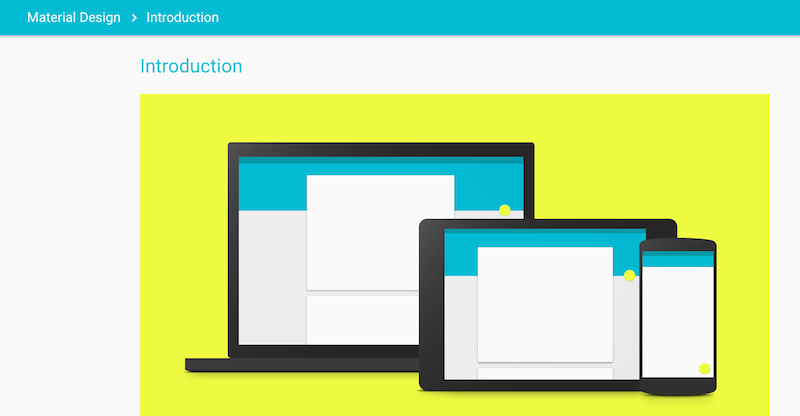
Material Design
- Google’s holistic approach to design (Google Design guidelines)
- Material Design introduction
Corner Geeks 21: The Android Journey
Listen to @mfirdaus’ journey into Android from the world of iOS
** Show Notes**
- Customisation
- Android customisation is outstanding: much easier compared to iOS
- Widgets on the home screens / lock screen (view Twitter / Facebook / Instagram / Google+ items)
- Quick toggles in the notification drawer or on the screen itself (toggle WiFi / GPS / Mobile data, etc)
- Apps mentioned:
- Quick Droid: https://play.google.com/store/apps/details?id=vu.de.urpool.quickdroid
- GMD GestureControl Lite ★ root: https://play.google.com/store/apps/details?id=com.goodmooddroid.gesturecontroldemo
- HomeFlip: https://play.google.com/store/apps/details?id=com.lean_and_mean.HomeFlip
- Apex Launcher: https://play.google.com/store/apps/details?id=com.anddoes.launcher
- Other Notable Apps:
- Power Toggles: https://play.google.com/store/apps/details?id=com.painless.pc
- Light Flow Lite: https://play.google.com/store/apps/details?id=com.rageconsulting.android.lightflowlite
- SwiftKey Keyboard Free: https://play.google.com/store/apps/details?id=com.touchtype.swiftkey.phone.trial
- Notifications
- Lock screen notifications on iOS are better
- Android doesn’t provide the same API as iOS does and requires that the lock screen to know the app first before being able to show a notification for it.
- Android 4.1’s advanced notifications don’t seem to be in all apps
- Fragmentation
- Default Android apps overridden by manufacturer customisation (e.g. Samsung camera app / S Planner instead of the standard camera / calendar app found on Nexus devices)
- Responsiveness & Web Browsing
- iOS generally has a better snappiness and responsiveness but with Project Butter in Android 4.1, Android seems to be on par (at least on newer devices)
- iOS seems better in terms of performance and responsiveness for web browsing and PDF viewing
- Older iOS devices will probably be better than current mid-range and budget Android devices
- File System
- Android has a full file system that all apps can read all files.
- iOS has a limited file system. All apps have their own file system readable by their own app but there are some shared file systems ‘folders’ such as the photos
- iOS has certain files grouped/tied into different apps: photos in Gallery, PDFs in iBooks. Simple but provides easy access vs Android that requires a file manager.
- Sharing
- Android sharing intents allow passing files from one app to another via a standard sharing method. Makes workflows simple and straight forward
- iOS can only share to limited apps (Twitter, Facebook, Email)
- Advanced iOS sharing doesn’t seem to be fully implemented properly in all apps (open a PDF in Safari has an “Open in…” button which doesn’t show if the PDF is opened in iBooks)
- Share via HTTP: https://play.google.com/store/apps/details?id=com.MarcosDiez.shareviahttp
- Apps
- Still many iOS first or iOS exclusive apps
- Not many Android only / exclusive apps
- App Development & Testing
- Android easier to develop on actual hardware: you can develop and copy files to any device
- iOS requires a jailbreak or USD$99/year for a developer account just to use / test it on a physical device
- iOS requires a Mac, Android is cross platform (Windows, OS X, Linux)
- Other things not mentioned
- Default Apps
- Android can define default apps and keyboards, e.g. you can download a new browser and set it as your default browser when opening any link.
- iOS it can’t be changed at all
- Android keyboard customisations are very powerful and you could download a keyboard that suits your needs more. Personally I like Swift Key due to their arrow keys on the keyboard which I find easier for editing typos.
- Direct File Transfers
- Possible without specialised apps
- NFC, WiFi direct, Bluetooth enable it via “Share option” in file managers
- Updates
- iOS has a solid and better OS upgrade path
- Android upgrade path is slow especially for non Nexus devices. Even for Nexus devices, the update is not instant (can take a few weeks to roll out)
- Default Apps
Credits:
The Android robot is reproduced or modified from work created and shared by Google and used according to terms described in the Creative Commons 3.0 Attribution License.
Podcast music by www.lucadebernardi.com
Corner Geeks 19: Google I/O 2012 - Part 2 - Android 4.1 Jellyean
Google I/O 2012 links: I/O website, Day 1 video, Day 2 video
Android 4.1 Jellybean
- Overview of new features, API Notes & official changelog from Google
- Project Butter
- To make UI smoother using triple buffering, vsync, 60fps
- Increasing CPU frequency when there is touch input so it is responsive
- Predicting where the user will touch
- David Pogue says “Google’s tablet is now Applesque in its fluid touch response”
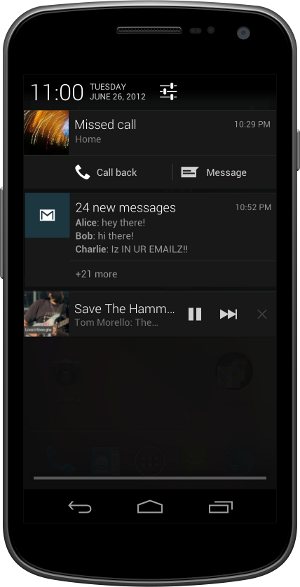
- Notifications improvement
- Actions straight from notifications. No need to open app
- Call person from missed called
- Email all attendees for meeting
- +1 or share straight from the notifications
- Different views: normal (text snippet), bigger view (with lots of text), picture view (with images)
- Actions straight from notifications. No need to open app
- Google Now
-
Siri / S-voice competitor
-
Based on knowledge graph to show results based on context
-
Card based interface with each card showing information
-
More than just text as text answers: photos as well. With Google search at the bottom
-
Natural sounding voice
-
Proactive digital assistant giving automatic reminders / information based on context. Example: reminds you that you should leave in 5 minutes in order to meet your appointment due to traffic on the highway. It has your scheduled information in the calendar, it knows the route and traffic you should take and calculates the time it would take to reach destination.
-
Google now creepy knowing your behaviour but gives relevant results
-
- Offline voice typing: core engine shrunk to work offline, but if there is an Internet connection it works better
- Homescreen improvements: when placing new widget on a screen it will automatically reflow icons to fit it or shrink the widget in order to fit it on the screen
- Predictive keyboard. New keyboard layouts and languages. User installable keymaps
- Accessibility improvements - gesture mode with speech guidance. USB/Bluetooth Braille inputs
- Camera tweaks. Swipe to review. Tap and share.
- Android beam: initiate transfers via NFC and now allowing larger transfers via Bluetooth
- WiFi network and WiFi direct service discovery: find services available via device son the network (e.g. printer) or via an app on another Android device (direct P2P without a need for a network)
Developer Related Features
- Update over the air for Galaxy Nexus, Motorola Xoom & Nexus S in mid July
- SDK available today
- App encryption: all paid apps encrypted with a device-specific key before they are delivered and stored on a device to prevent piracy
- Smart / Delta updates
- Automatically handled by the Play Store
- Support for Android 2.3 Gingerbread & above
- 1/3 the size of regular updates
- Android Device Messaging C2DM now called Google cloud messaging
- Multi-casting
- Free. No quota limits
- Android Platform Development Kit
- For hardware manufacturers
- Given new version 2-3 months before release (for better / faster updates)
Note: Image licensed via Google under CC-BY
bdfone A2W: The Brunei-made Android phone
It seems that bdfone has finally released their first Android phone: the bdfone A2W. I previously mentioned them having a prototype over 1.5 years ago but it seems that they have finally got a production unit. From their Facebook page it seems to have started selling in December (in my last of connectivity, I must have missed it). It is currently priced at B$290 on QQeStore
They have hit a good price point, but with an older version of Android (not even 2.3) and a relatively old and slow CPU, it seems to lose out to the competition. There is also no mention of resistive or capacitive screen, just a “touch screen”. I also wonder how they will support Android updates or if they will at all. For the price I would recommend the Sony Ericsson WT19I Live with Walkman for B$308 (which has better specs) or even the LG Optimus Net P690 for B$268 (which has very similar specs).
Good
- Brunei made Android phone
- Decent Price
Bad
- Competitors with better specs in the same price range
- Old slow 600MHz CPU (other budget phones use 800MHz)
Ugly?
- Unknown screen type
- Unknown Android update possibilities
- Unknown available space for apps
Specifications
- Android 2.2
- CPU: 600MHz (based on Wikipedia’s entry on the MSM7227)
- 3.2 HVGA (480x320) screen
- 512MB + 256MB Memory
- 3.0M Camera
- 1500mAh battery
- Connectivity: Bluetooth, GPS, WiFi, T-Flash Card aka microSD card (up to 32GB support)
- Mini USB 2.0 for Data / Charger / Audio
- Frequency band support: GSM: 900/1800/1900, WCDMA/HSDPA: 2100
Note: image taken from bdfone website. I’m not sure how to license images like this and thus I am following Wikipedia’s policy similar to the usage of the Portal 2 logo. If there are any lawyers who could advise, please let me know.

Huawei S7 Slim
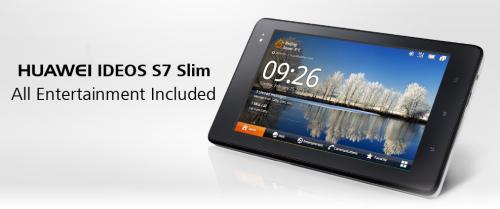
Along with the Huawei Ideos X5 we managed to take a look at the Huawei S7 Slim which is an updated version of the Huawei S7. A more budget friendly (B$499) 3G tablet with phone capabilities, it has a similar UI to the original S7 which is a more landscape oriented and also has a lot of space for apps (2.7GB+). The original Galaxy Tab is currently going for B$575 at Shopping.com.bn and thus the S7 Slim may be a hard sell at the current price (the Galaxy Tab has less space for apps 1GB+).
http://www.youtube.com/watch?v=eDNtSD2C2hM (YouTube link to video)
The Good
- A decent Android tablet at B$499 with ample space for apps
- Support for Flash
- On customer request the device will be rooted and upgraded to Android 2.3 running CyanogenMod
The Bad & the Ugly
- May not have Android updates
- The Galaxy Tab is less than B$100 more
Specifications
- Android 2.2 / Android 2.3 (upgrade to 2.3 upon customer request)
- 7" WVGA 800x480 capacitive multi-touch screen
- 1GHz CPU
- 2.7GB+ space for apps
- 400MB+ RAM
- Rear and front facing cameras
- Full SIM slot
- microHDMI, microUSB, microSD card slot, propetariy dock
- Connectivity: WiFi, Bluetooth, GPS
Note: We would like to thank TenTen for allowing us to film this at their shop in Kiulap. TenTen offers many Huawei and they also have battery packs for your iDevices or generic battery packs with a USB output to charge for your phone
Sample Photo (max resolution: VGA, 640x480) Rear camera 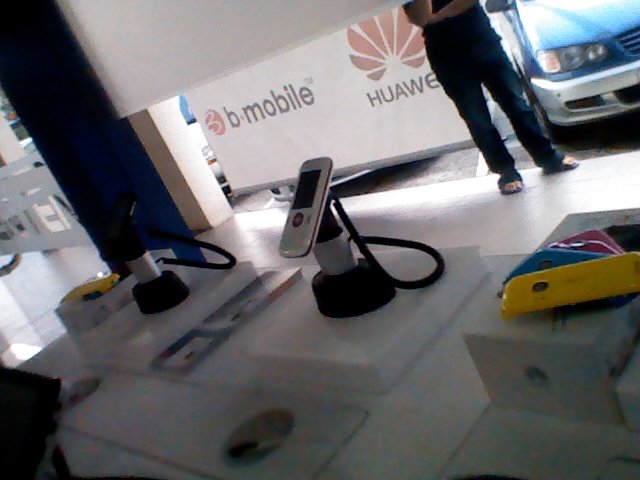 Front camera
Sample Video (max resolution: 352x288, 3gp file with h263 and amr mono encoding) Rear camera (YouTube link to video) http://www.youtube.com/watch?v=WTjXsjd_Sa0 Front camera (YouTube link to video) http://www.youtube.com/watch?v=RTp8Br9Ruak
Huawei Ideos X5
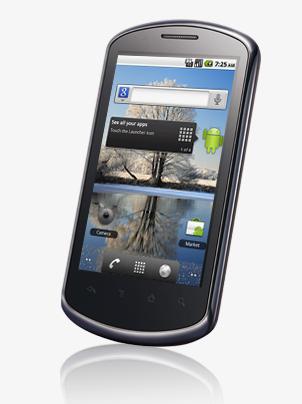
I managed to take a look at the Huawei Ideos X5 that I first laid hands on at the TechXpo 2011. It is a very decent device at an affordable price of B$399. My only gripe is the lack of a front facing camera which means you will not be able to do normal video chats. If it had a front facing camera, this device would be one of the best budget Android phones. It has a bigger and higher resolution screen compared to the Sony Ericsson Live with Walkman and the Sony Ericsson Xperia Mini Pro and thus makes it a good size for thumb typing, even for those with fat fingers like mine. Overall a very decent device, with 450MB+ for applications (a lot of space for a budget device), but I fear that there will be no official Android version updates.
http://www.youtube.com/watch?v=D7_-Lba2nSE (YouTube link to video)
The Good
- A decent Android device at B$399 with larger and higher resolution screen compared to some cheaper phones
- High resolution 3.8" WVGA (800x480) screen
- Support for Flash
- On customer request the device will be rooted and upgraded to Android 2.3 running CyanogenMod
The Bad & the Ugly
- No front facing camera
- There are cheaper phones with front facing cameras
- May not have Android updates
Specifications
- Android 2.2 / Android 2.3 (upgrade to 2.3 upon customer request)
- 3.8" WVGA (800x480) capacitive multi-touch screen
- 1GHz CPU
- 460+MB available for apps
- RAM 350MB+
- 5 megapixel camera with flash (no front facing camera)
- microSD card slot
- Connectivity: WiFi, Bluetooth, GPS
- Micro-USB connector
Note: We would like to thank TenTen for allowing us to film this at their shop in Kiulap. TenTen offers many Huawei and they also have battery packs for your iDevices or generic battery packs with a USB output to charge for your phone
Sample Photo (max resolution: 5 megapixel 2592x1944) 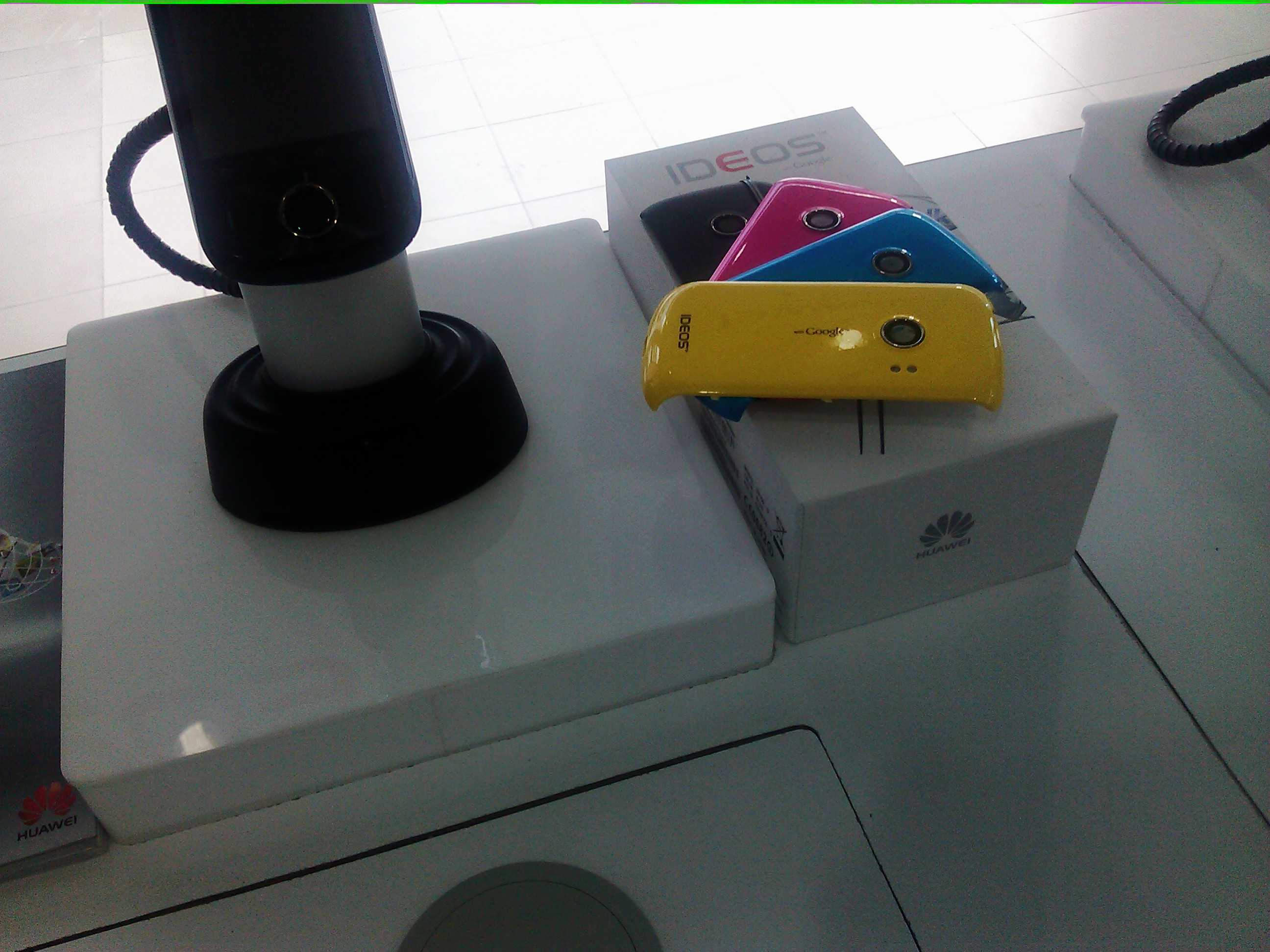
Sample Video (max resolution: HD 720p, 1280x720, m4v with h264 and aac mono encoding) http://www.youtube.com/watch?v=WTjXsjd_Sa0 (YouTube link to video)
The bmobile Pure budget Android Phone
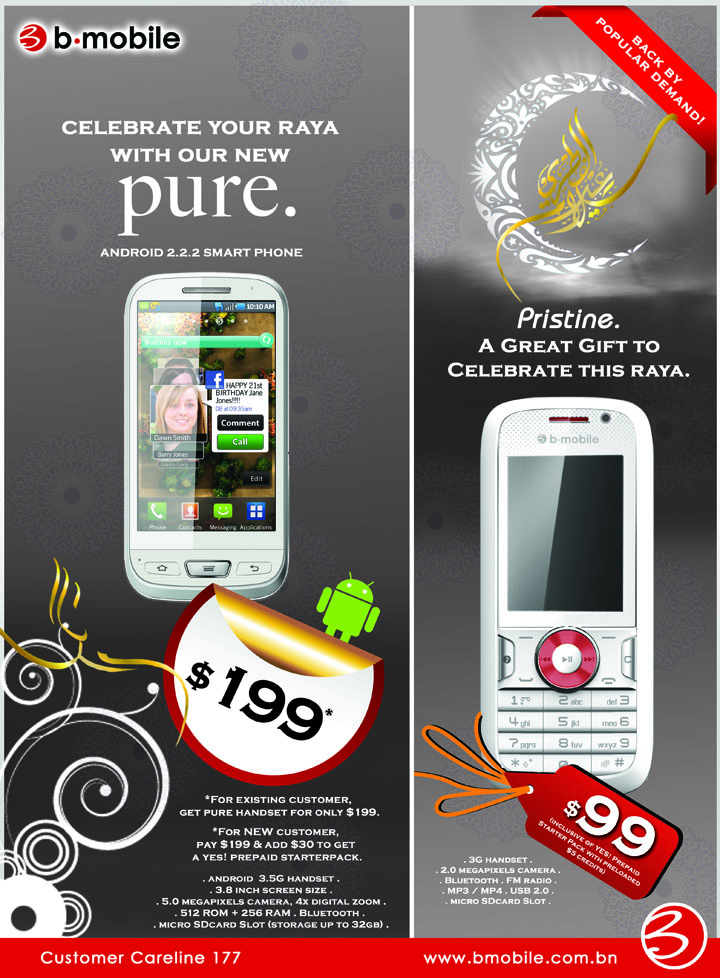
The bmobile Pure is a budget Android phone running Android 2.2 and has pretty device specs but a pretty good 3.8" high resolution screen. The high resolution 3.8" screen makes it nice to read and surf the Internet but the 256MB RAM may be limiting for multi-tasking and general smoothness of the device. I was not able to get the Flash apk to try install and test Flash on the device but the 600 MHz CPU may not be capable of Flash, so I wouldn’t expect it to run.
Sadly there is no Android Market or Google apps such as Gmail, YouTube, Maps and the Market. Not having the Market means that the device needs an alternative Android app store. The Pure is bundled with the local grown Widget Warehouse for apps, however it seems that the Widget Warehouse doesn’t even work with the Pure. So I guess there is a need to rely on other 3rd party app stores such as GetJar, Soc.ia Mall (previously AndAppStore), SlideME, Opera Mobile Store. Side loading apps via downloading apk files (Android installer files) work well and that was how I installled apps to the device.
I love the fact that Android is able to scale down to a device as cheap as B$199 and with that device, although having limitations such as not having Google apps, it still has all the full functionality of a smartphone.
Video Overview http://www.youtube.com/watch?v=WdVpjKtLlb0 (YouTube link to video)
The Good
- Cheap at B$199 (existing b-mobile customers) / B$229 (non-existing customers pay an extra B$30 for a Yes! prepaid mobile broadband starterpack)
- High resolution 3.8" WVGA screen
- 2 stage dedicated camera button
The Bad & the Ugly
- No Android Market or Google apps (Gmail, YouTube, Maps, Market)
- No 3.5mm headset jack
- Locked to b-mobile
- Not likely to get any updates
Specifications
- Android 2.2
- 3.8" WVGA (800x480) capacitive multi-touch screen
- 600 MHz CPU
- ROM 512MB (260+MB available for apps)
- RAM 256MB
- 5 megapixel camera with flash (no front facing camera)
- microSD card slot
- 3.5G handset
- Connectivity: WiFi, Bluetooth, GPS
- Mini-USB connector
- 1500mAh battery
Sample Photo (max resolution: 2592x1944, 5 megapixel) 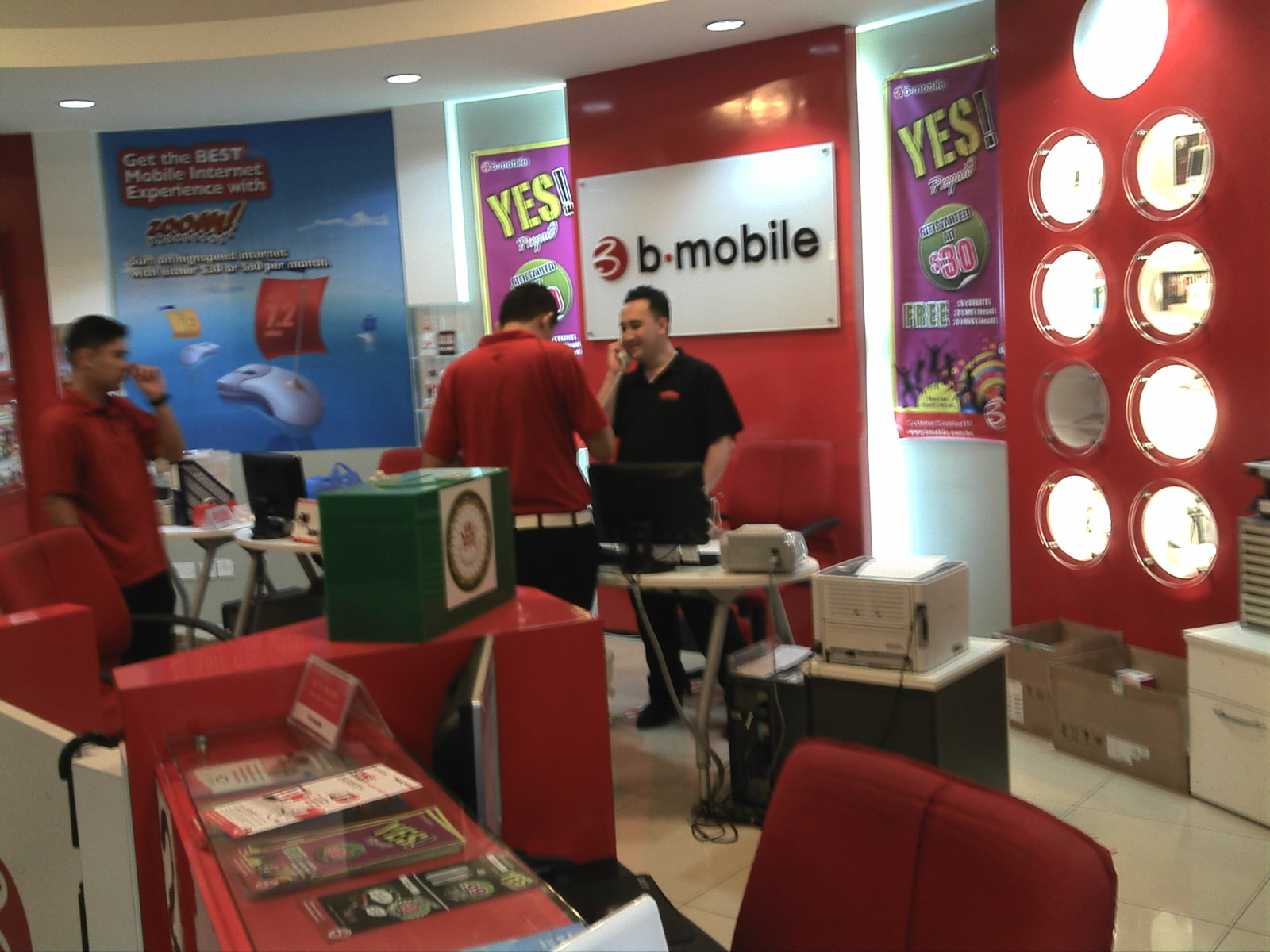
Sample Video (max resolution: 640x480, VGA, 3gp with h264 and amr encoding) http://www.youtube.com/watch?v=zg99SJk2PiU (YouTube link to video)